Search this Blog

Showing posts with label Make Window Beautiful. Show all posts

Wednesday, 5 September 2012

Customize Taskbar Thumbnail size Previw in Window 7

I like Windows 7 Taskbar Thumbnail Preview Feature (ofcourse it is available in Vista as well). If you hover your mouse cursor at any open application icon at the windows taskbar, It quickly shows you the preview of the open window. If you have open multiple windows of the application, that also will be viewable in the Thumbnail view (Excellent)
But for me, the default size of the thumbnail preview is quite small. Although it’s perfect for quickly switching between the windows but still… (I have my own taste :P). There is no direct way to increase the size of the thumbnail previews, which was quite frustrating. But finally I found afreeware portable utility which can do that job with ease.
Windows Taskbar Thumbnail Customizer (quite a big name though) is an excellent portable software to quickly customize the taskbar thumbnail previews. It has many options which you can set according to your taste. You can Min/Max size, set the Margins / Space and can even set the Text heights. Most importantly, if you want to reset the settings, it has a restore button to quickly restore the defaults (PERFECT!!!)
Do you know any other utility which is much easier or better than this? Do share your comments / suggestions at below page commenting section.


Continue Reading "Customize Taskbar Thumbnail size Previw in Window 7"

Thursday, 30 August 2012

Rain with thunder and lightning on Your Monitor Screen


Pros
  • Rain effect is quite realistic
  • Many options to configure it


Cons
  • Takes a while to load
Continue Reading "Rain with thunder and lightning on Your Monitor Screen"

Friday, 24 August 2012

ObjectDock 2.0


ObjectDock is a program that adds a skinnable dock to your Windows desktop. It is one of the most popular desktop enhancement programs available.
ObjectDockâ„¢ is a program that enables users to organize their shortcuts, programs and running tasks into an attractive and fun animated Dock. By allowing users to have more control over how they organize their desktop, users can take control of their desktop icons and shortcuts to have them be available when where and how they need them. This, all with the unique style and top-rate performance that ObjectDock is known to deliver!
In constant development, ObjectDock and ObjectDock Plus are enhanced often to provide the most unique features of any stylized shortcut organizer / launcher available.

Continue Reading "ObjectDock 2.0"

Google Desktop 5.9.1005.12 latest


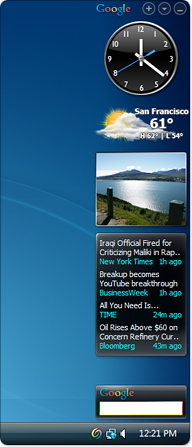
Google Desktop makes searching your computer as easy as searching the web with Google. It's a desktop search application that provides full text search over your email, files, music, photos, chats, Gmail, web pages that you've viewed, and more. By making your computer searchable, Desktop puts your information easily within your reach and frees you from having to manually organize your files, emails and bookmarks.
Google Desktop doesn't just help you search your computer; it also helps you gather new information from the web and stay organized with gadgets and sidebar. Google Gadgets can be placed anywhere on your desktop to show you new email, weather, photos, personalized news, and more. Sidebar is a vertical bar on your desktop that helps you keep your gadgets organized.
Other features include:
  • Quick search box
  • Smart indexing
  • Multiple file types
  • Find deleted files
  • Deskbar and floating deskbar
  • Lock search
  • Microsoft Outlook integration             

Continue Reading "Google Desktop 5.9.1005.12 latest"

Tuesday, 21 August 2012

RocketDock 1.3.5


RocketDock is a smoothly animated, alpha blended application launcher. It provides a nice clean interface to drop shortcuts on for easy access and organization. With each item completely customizable there is no end to what you can add and launch from the dock.
Now with added Taskbar support your minimized windows can appear as icons on the dock. This allows for better productivity and accessibility.
Features:


  • Minimize windows to the dock
  • Real-time window previews in Vista
  • Running application indicators
  • Simple drag-n-drop interface
  • Multi-monitor support
  • Supports alpha-blended PNG and ICO icons
  • Icons zoom and transition smoothly
  • Auto-hide and Popup on mouse over
  • Positioning and layering options
  • Fully customizable
  • Completely Portable
  • ObjectDock Docklet support
  • Compatible with MobyDock, ObjectDock, RK Launcher, and Y'z Dock skins
  • Runs great on slower computers
  • Unicode compliant
  • Supports many languages and can easily be translated
  • A friendly user base
  • And best of all... its FREE!!!

Continue Reading "RocketDock 1.3.5"

Crystal Clear xp Transformer


A new visual appearance :
The Crystal Clear pack integrates a visual style which will bring some freshness to your Windows. In order to answer all your desires, several versions of this style are proposed.
So, you have the choice between an Aero style or a Classic one, a Tux or a Windows button, a normal taskbar and a thin taskbar.
Crystal Clear Bricopack
Choose the “Crystal” style
The modification of system files allows to change the appearance of Windows in depth.
And that includes icon modifications ! Indeed, for 5 years, we have seen the same icons in Windows XP. We need a change! And what is more beautiful than “Crystal” icons ? I’ll let you admire... 
Crystal Clear Bricopack
Crystal Clear Bricopack Crystal Clear Bricopack
Additional software :
The aim of our Bricopacks is to make your desktop more beautiful, but also more practical.
So Crystal Clear Bricopack brings some additional software. For example, you will be able to change the colour of your folders so you can locate an important folder easier...
Crystal Clear Bricopack
... And why don’t you choose a magnificent Dock on your Desktop to organize your shortcuts elegantly ?
Crystal Clear Bricopack
I want as much again !!!!!!
It’s enough to ask ! In addition to icons, the visual style, and the additional software, this pack will change your logon ...
Crystal Clear Bricopack
... Some common windows...
Crystal Clear Bricopack 
Crystal Clear Bricopack
... But also mouse cursors!!!!
Crystal Clear Bricopack

Precautions to take :
- First, make sure that the pack is compatible with your system (to check you system’s information, right click on “my computer”, then, click on “proprieties”).
Here is the list of compatible systems :
- Windows XP
- Windows XP SP1
- Windows XP SP2
- Windows Server 2003
- Windows XP Media Center (SP1, SP2 or without SP)
- Windows XP Tablet Edition
Be careful, this pack isn’t compatible with 64 bit versions (x64) of Windows XP


Continue Reading "Crystal Clear xp Transformer"

Monday, 13 August 2012

Vista Partition Drive icons (Change Your Partition Icon)

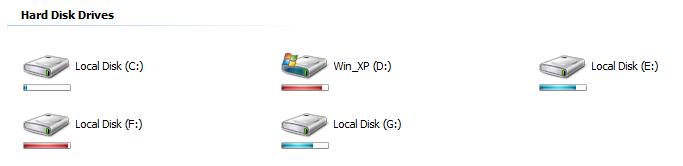
Vista Drive Icon pack is a little bit software,which  changes the Partition drive icons "My Computer", to a likely  Vista  icon


The Nice feature
Continue Reading "Vista Partition Drive icons (Change Your Partition Icon) "

Saturday, 4 August 2012

Turn Your Desktop 3D

 convert your desktop in a 3D and make it very impressive

Continue Reading "Turn Your Desktop 3D"

Friday, 3 August 2012

BumpTop Pro v2.10.6225 Multilingual

 MAKE YOUR DESKTOP 3D


BumpTop™ is a fun, intuitive 3D desktop that keeps you organized and makes you more productive. Like a real desk, but better. Your desktop doesn’t have to be a boringgraveyard for lost and forgotten files anymore! Transform it with BumpTop. Create the desktop that suits your needs and style.
                                                  
                                                     Download Here
Continue Reading "BumpTop Pro v2.10.6225 Multilingual"

XWidget 1.22

XWidget is a free desktop customization platform. It’s light, handy with powerful visual widget editor and very subtle animations.


                                                     Download Here
                                                     Awais Ahmad
Continue Reading "XWidget 1.22"

Download Shine Skin Pack 1.0 for window 7

Shine Skin Pack is a topic that quickly allows you to automatically change the default interface of Windows 7, and place in a new style Shine.
The installer is implemented so that you do not need to absolutely no effort in the process of changing the interface, except run the appropriate installer (x86 or x64 - depending on the bit system) - all included in the theme components will install automatically.
Before you install the theme you want to disable User Account Control, and close all running 
programs. After graduating - reboot the system.
For quick and correct installation Shine Skin Pack to remove (if they have been previously installed), or other other versions of packages to customize the interface (Skin Packs).

Supported operating systems:
Windows 7, Windows 7 SP1 - X86/X64 - All system languages ​​- All versions

Program and other components that are included in this topic:
- Resource Hacker 3.6 by angus johnson
- Moveex 1.0 by Alexander Frink
- Universal Theme Patcher 1.5.0.22 by deepxw
- RocketDock 1.3.5 by PunkSoftware
- Theme by zainadeel

Password :www.dytoshare.us
Awais Ahmad
Continue Reading "Download Shine Skin Pack 1.0 for window 7"

Wednesday, 1 August 2012

Vista Transformation Pack For Win XP


Vista Skin Pack 5.0
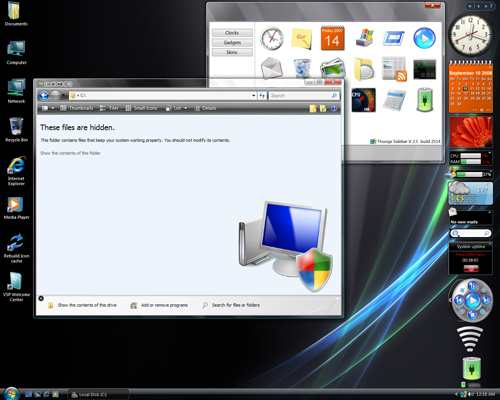
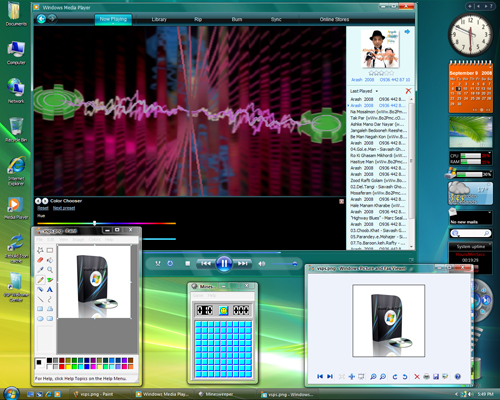
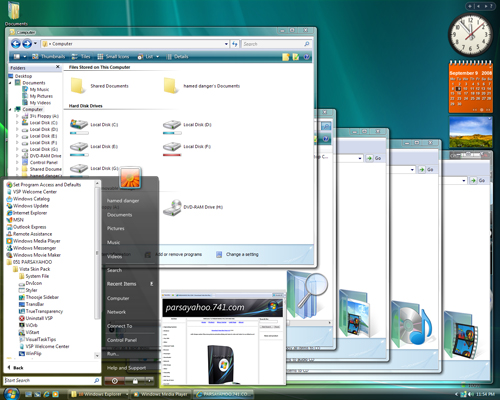
is a transformation pack, it transform your pc  skin  makes more then 120 file changes to get Vista styled icons, animation, pictures, menus and behavior on your Windows XP SP1,SP2,SP3, Media center Edition or Windows 2003 computers, 
Vista Skin Pack 5.0
 features 


Features:
Continue Reading "Vista Transformation Pack For Win XP"

Windows 8 Transformation Pack 5.0

Change Your Old Style Windows Xp  to Latest Style Windows 8

               This is A software which change your old style win Xp To new latest style win 8.
       This transform your win theme style,start up and shut down look,icons,opening style and many more.
This is the latest version  of this software and have following important feature
  

- Fixed Segoe UI font installation compatibilities
- Improved uninstallation compatibilities with Themes removal
- Replaced Windows Vista theme with M-Awesome’s Windows 8 RC
- Replaced Windows 7 theme with thepanda-x’s Windows 8 RC Aero for Windows 7
Continue Reading "Windows 8 Transformation Pack 5.0"